
Don’t assume anything – ” But I thought ( fill in blank) was going to ( fill in blank).”
Keep an email trail – document everything between you and your client.
Keep a binder – it’s always good to keep a hard copy back up even if everything is recorded electronically.
What to look for on location:
• where the outlets are
• where the windows are and which direction they face
• do the windows have blinds or shades
• what is the ambient lighting in the room
• what kinds of ambient noise is in the location and can it be controlled
• what’s the best-spot for an interview
• where are the bathrooms
• where is the freight elevator
• where is parking
• what is the building contact person’s name and number
When packing for location – don’t leave things behind unless you absolutely have to. It is far better to have it and not need it, than need it and not have it.
Be redundant – bring extra connectors, adapters and cables. If you only bring one – it almost guarantees that one will fail.
Make friends with doormen, secretaries, building electricians, janitors, security guards – you will need these people on locations.
Whenever the call time is – be there early. I’m always the first one on set.
If you don’t schedule a rain day, you will end up needing one.
Always shoot the most important shot first thing of the day.
Maintain an attitude of calm and professionalism – the crew will look to you for the answers. If you show indecisiveness they will go off in all different directions.
Never label a video file or tape “Final” – Whenever you do – there always ends up being another revision.
Always break for lunch – working through lunch guarantees a hungry and cranky crew. Ultimately you won’t get 100% from a hungry crew, thus defeating the time saved.
Slate everything you can. Use the back of the slate for a white balance target. Also attach a printed color bar chart to the slate. This can be helpful in color correction later, matching scenes and/or cameras.
Tape/storage media is cheap. Don’t be afraid to overshoot. That extra b-roll or cut-aways will become valuable assets in post. Get room tone at the same time.
During the mic check for interviews, record a brief statement where each subject states their name, the date and that they are giving permission to be taped. Always make sure your subjects also sign hard copy waivers/releases.
Things always take longer than you think – so estimate more time when scheduling.
In post production back up projects as different versions. Save a clean sub master version without titles and lower-third graphics and where the audio tracks are not mixed down. Most likely you will get a request to change a graphic or a music track and it’s much easier to make those changes on a sub master than to have to redo an entire project.
When a client suddenly takes the project in an unexpected direction, save a version of the project file up to that point.
When editing with a room full of client people – only answer to the guy/gal who signs the checks.




 and the still photos that may never be seen.

 This used to be a tedious process and would involve a lot of work in post production. But thanks to some incredible plug-ins available – you can get a pretty amazing “key” without a lot of hours in the editing room.
 – close enough to commute if I were so inclined or had a “job” to commute to. But since I’m a self employed freelancer and always have been – I look at that short distance to the “city” as the bridge that connects my two worlds. The “city” can pretty much provide me with just about every cosmopolitan need that I may have and my other world – the idyllic little “bubble” where I live – a small rural town in Northwestern New Jersey – gives me space and serenity.
  Both are important in my life and I don’t think I could give up one for the other.
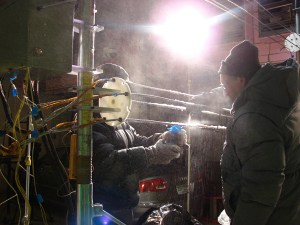 – brilliant electrical engineers – were pushing their own boundaries as they ran tests with ice on power lines and automobiles and as much as I was witnessing this work in sub zero temperatures – it was amazing to watch them work. If I hadn’t been so busy with my own technical challenges – I would have loved to just observe them and try to get into their head.
 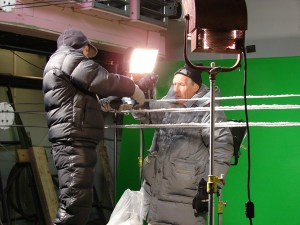 You could almost see their brains working – just by watching their faces. Then to see the triumph in their eyes when their experiments worked – what a thrill. I now need to go to Russia.
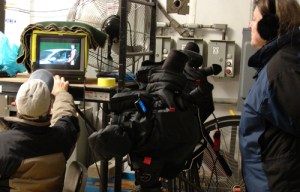 to keep them warm and swapped out the warm packs as we shot late into the night. We had to erect large “green screens” so that in post I can insert winter scenes. Problem was our green screens were large pieces of fabric and the chill blowers were blowing them all over the place. We tried to anchor them but in the end we had to turn the blowers off during the shoot. Thank goodness we didn’t need usable audio. We used hot lights and a lot of them. Used every extension cord we had and every outlet in the room – 10,000 watts. Ironic huh – hot lights in a “cold room”. Because of that we had to leave the lights on the entire time because we knew that when we turned them off – we’d get condensation on the bulbs. When we finally did break the set down at midnight – we turned the lights off, let them cool a bit and put garbage bags over them so that as they warmed we wouldn’t get moisture on them. Didn’t really work too well though.
 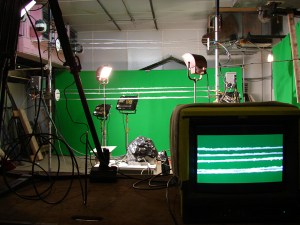 We did the same thing with the cameras and that worked great. Because we had the lights on all day and were using long extension cords – one cord got over heated and actually melted and fused to itself. The Russian electrical engineer noticed it – Thank God – or we would have burned down the building.
 Journeys of a Hybrid