More Convergence – DSLR’s + Video = VSLR

It seems like this has been the year of the video capable DSLR or VSLR. Not only are manufacturers continuing to roll out new models but third party companies have made a big business out of selling attachments or add-ons for these cameras.

Dabblers as well as professional still photographers have gotten into video because the entry level has become easier and more affordable with the advent of these cameras. While traditional news crews haven’t embraced the new hybrid cameras yet, filmmakers have created a cult around them. I must confess that although technically I have had my hands on these cameras, I have not done any test runs using them in the field.  But it is on my list of things to do.

What’s Out There Now

The Nikon D90 shooting 720p was the first DSLR camera to shoot video in HD.  Canon followed with its impressive 5D Mark II which raised the bar by shooting full frame 1080p with external mic input and recently rolled theyout the Canon 7D with variable frame rates for under $2000!

The most attractive features of these hybrid cameras besides the price, is the ability to change lenses, have controllable depth of field and large sensors that work phenomenally in low light situations. However there are limitations that traditional video cameras that come at a higher price don’t have.  Camera stability is one problem due to how the shooter needs to hold the camera because they are designed to shoot in video mode with the mirror up. Since the camera operator must see and focus using the LCD monitor instead of steadying their eye up against the viewfinder, it’s harder to stabilize the camera when hand holding it. Audio capture is very basic as well and must be supplemented in some way.

Third Party Options

Because of these limitations, third party manufacturers have gotten in the game by designing add-ons. Zacuto

zfinderfeature
Z-Finder

has come up with a few interesting items.  One item is the Z-Finder DSLR Viewfinder, which is a device that fits over a 3” LCD and provides magnification for better focusing. It runs around $400.  Hoodman lpp3.0(front)provides a lower cost version called the Hoodloupe without the same optics but at a quarter of the cost.

An added benefit to using these viewfinders is that it provides another contact point with the shooter’s body and therefore provides more stability.  There are also camera support systems available that help remedy the need for better stability in “run and gun”

RapidfireFeaturepic
Rapid Fire

situations where the shooter can’t use a tripod.  Zacuto makes two stabilization devices, the DSLR Rapid Fire and the Quick Draw each designed with a different type of shooting situation in mind. In addition a Cavision has come up with a shoulder mount device the  RS5DM2SET-S.

Package for 5DII-8
Cavision shoulder mount

As far as audio is concerned, if you want to move beyond a supplemental external mic that’s plugged into the camera and use a more professional audio solution you’ll need balanced XLR inputs which will also enable you to use multiple external mics off the camera. Beachtek makes the DXA-5D for around $375 and juiceLink has come up with the juicedLink CX231 for about $300.
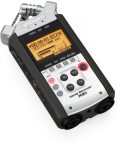
H4n_slant-web
Samson H4n

Or you can capture your audio with a stand-alone recorder like the Samson Zoom H4n, also around $300 and sync it later in post.

Regardless of how you ultimately “trick out” your VSLR (video single lens reflex)  you can be sure that there will continually be newer models and solutions as technology keeps moving forward.   Pro Video Coalition puts out a great newsletter online keeping us abreast of the latest tools.  Check out their DSLR Shootout where they test these hybrids and adaptors. Take Dirck Halstead’s Platypus Workshop now incorporating the new DSLR’s in the program. And become a Facebook fan of From Still to Motion for ongoing information and updates.  It’s an exciting time with loads of possibilities.

Add to FacebookAdd to DiggAdd to Del.icio.usAdd to StumbleuponAdd to RedditAdd to BlinklistAdd to TwitterAdd to TechnoratiAdd to Yahoo BuzzAdd to Newsvine

If the Idea Just Won’t Quit Ya – Take Notice

If anyone’s been paying attention to my last few posts you would have noticed that I’ve been very introspective of late.  That’s usually what happens to me when I’m about to make a change or embark on a personal project. '60's psychedelic VW vanI have found that when unexpected and random events happen in my life and I take notice and then question why – I’m ready for my next chapter.

I have a friend who is a freelance writer and lives nearby. We frequently take long walks through the miles of preserved natural open land that lie within our community.  We are both creatives and we’ve discovered that it’s a wonderful environment for conversation and bouncing ideas off of one another.  On a recent walk I was talking about an idea that just won’t leave my head and another thought that’s just starting to morph into a more concrete plan.

At one point she questioned that perhaps I should segway the ideas into assignments from magazines or online publishers – like that would somehow legitimize my effort.  I told her that if I have an idea that I feel so strongly about that I’m ready to proceed on my own  – then I didn’t feel the need to get validation from someone else. That my passion for the subject matter usually carried me through and was all the validation I needed.

I’ve worked on a quite few personal projects over the years, both still photography and video as well as combinations of both.  There hasn’t been one project that hasn’t been rewarding on many levels. Of course there’s the personal satisfaction and growth that I initially receive.  And there’s the incredible feeling I get from knowing my work has touched someone or had an impact on them.  And there are always the residual rewards that lead to new connections and future projects or jobs.

Someone once told me “pay attention to those thoughts in your head that just won’t quit ya”. So I think I will.

Add to FacebookAdd to DiggAdd to Del.icio.usAdd to StumbleuponAdd to RedditAdd to BlinklistAdd to TwitterAdd to TechnoratiAdd to Yahoo BuzzAdd to Newsvine

Making Still Images Move

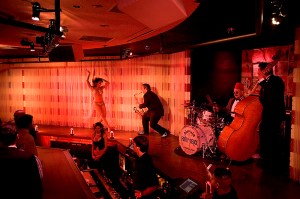
Burlesque
Burlesque club, Las Vegas (click image for motion sample)

I’m often asked how to prep still images and how to make them move in a multimedia/video piece.  My initial response to this question is to reply with a series of questions – “Why do you want to make your images move?” “What’s your motivation? What do you want to communicate to the viewer?” “Do you need sound and movement to better tell your story?”

I’m not one to do things just because I can – I need a reason.  For me a still image is an entity in and of itself – a moment in time to be studied and contemplated.  When I present still images in a multimedia presentation – those “moments in time” become part of a greater whole.  That new entity becomes a different visual message with sound and motion becoming the underlying spine of the piece.  Added information that’s needed to convey that particular story. The still images become sequences and the sound and movement of the piece create the “feel” and “pace” of the whole.

As far as the practical aspects of creating a multimedia piece – the first step is to choose an editing software that works into your workflow.  I use Final Cut Pro Studio on a Mac.  I use Final Cut Pro (within the suite)  if I don’t have a lot of images to edit but lately I’ve been using Motion (also included in the Studio suite)  – because it’s easy – once you know it. You don’t need the depth of these software applications  to create a simple multimedia piece.  There are plenty of software applications to choose from  – iMovie and FCP Express in the Apple family, Adobe Premiere (cross platformed if using an Intel Mac) , Sony Vegas for PC’s  and simpler programs like Soundslides or Audacity.

There are many tutorials on this subject – check out Ken Stone or Lynda.com – both great places to learn.  In the meantime I will share my recipe for how I size and prep my images for multimedia presentations.  Like anything else, there are hundreds  of ways to get to the same end – but these are my suggestions that I find work best.  Another note – I use large image sizes so that I when I bring the images into my editing timeline – I have room to zoom into the images without having to  enlarge them beyond 100% in the video application.

My sizing/prepping suggestions for still images:

RGB color mode

Srgb color profile for SD (standard def)

HDTV (Re.709) color profile for HD (hi def)

Tiff, PSD or PNG – better than Jpeg

Don’t over sharpen image – it will jitter on screen

Use de-interlace filter for web videos – but this is something you need to test – I don’t always like the effect this filter has.

Sizing – I always upsize my images 2.5 x needed for video timeline  if I will be moving them “Ken Burns” style. Below are different specs for HD and SD and different aspect ratios:

Standard Def – DV NTSC 4:3 – 1800x1350x72 (pixels)(res)

Standard Def – NTSC 16:9 – 2132x1200x72 (pixels)(res)

HD – 720p – 3200x1800x72 (pixels)(res)

HD – 1080i – 4800x2700x72 (pixels)(res)

It’s really never been easier to prep still images in an application like Photoshop because there are lots of built in presets. I always prep all my assets and import them into my editing software before I even begin to edit.  That way I don’t need to depart from the edit and lose a train of thought whenever I need to add a still image or other graphic.

Have fun – and when you do decide to move an image – ask yourself why first?

Finding Your Passion

How does one find their passion?  How does one even define the word – passion?  The dictionary gives a few definitions. I’ll cite two:
– “intense or overpowering emotion such as love, joy, hatred, or anger.”
– “the object of somebody’s intense interest or enthusiasm”

Passion isn’t something you can teach someone – you just have to have it inside of yourself.  If you’re passionate about something – you just know.  I’m a photographer and a filmmaker .  But my passion is “telling the story” and I use my craft as a means to that end.  I’m interested in the human story and the cultural context that gives birth to those stories.

My insatiable desire to seek out and explore the human story has led me down many wonderful paths in my life. One of those paths led me to shoot a personal multimedia project on The Delta Blues Musicians.  My goal was to shoot environmental still portraits– as well as shoot video interviews of them .  I met my goal – at least in terms of creating an exhibition of still images and a short documentary – but I’ve never thought of this project as really being finished.  And that’s because I’m so passionate about the subject – “the blues”.

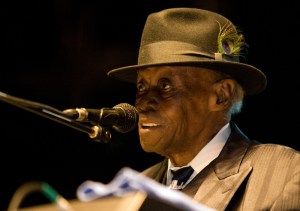
This past Friday, I headed down to Mississippi for Pinetop Perkins homecoming.  PinetopPinetop Perkins is a legendary boogie woogie piano player in the blues world.  He’s 96 years old and still going strong.  He is living proof of a man who is “living his passion.  I’ve become friends with Pinetop’s manager over the years and yesterday we got together over lunch to catch up on what was going on in our lives. I hadn’t been to the Delta for a few years and she was giving me the latest news on some of the musicians that I had interviewed for my film.  Four have since died – Little Milton, Robert Lockwood Jr., Ike Turner and most recently Sam Carr.

Pinetop’s manager is a very interesting woman who used to be an Anthropology professor at University of California at Berkeley.  She taught interview techniques as part of her ethnology classes.  When I had originally called her up to request an interview with Pinetop – she turned me down.  But not being one to take my first no – I asked her to check out my website and I also sent her a portrait I had taken of Sam Carr.  When she saw the photo I had taken of Sam – she changed her mind – she gave me my time with Pinetop.  She said that after she saw the portrait I took of Sam – she knew that  I understood “cultural context”

Yesterday at lunch she paid me another high compliment.  She told me that while she couldn’t quite dissect my “interview technique” (and she kind of rolled her eyes as she said it – because at times my techniques are quite comical) – she said that people just seem to be comfortable with me and  because of that they wanted to talk.  She also told me that I’ve been the only one to get a smile out of Robert Lockwood Jr. in an interview – but that’s another story.  Those comments were rewards in themselves for the efforts I’ve made on this project over the years – but there have been so many more.  Many rewards – all because of my passion for “the blues”.

Later that evening I got a chance to see Pinetop perform again.  I was backstage at the main festival stage – it was unusually chilly and I had a blanket with me.  Pinetop was sitting in the wings and I gave him my blanket as he waited for his cue.  He seemed so small and fragile.  When he got up to walk on stage and take his place at his keyboard before the crowd – he came alive.  And when he played his first note – I caught “it” in his eyes – a passion for his music and more than that – a passion to play for “his people”.  He didn’t want to leave last night – he played another song for “his people” and raised his arms in joy as the crowd embraced him.  It was a moment I’ll never forget.

The Business of Video

The “business” of video encompasses a lot of things –  your marketing strategy, your cost of doing business, your skill set needed to survive in business, your management of employees or outside contractors and paperwork.  For now I’ll speak to paperwork and how critical it is in communicating with clients.

A paperwork trail starts with an estimate for a job and I don’t take the process of estimating lightly.  I try to get as much information that I can when a client comes to me and asks me to bid on a job – or asks me  to provide an estimate for a job I’ve already been hired to do.  I keep a database of past SOW’s (Statement of Work) to use as references. While every job is different, I use these archived SOW’s as a starting point.

In addition to estimating the costs of crew, equipment, location needs, pre-production and post-production, I  clearly state terms as well as a schedule for post-production – including client response time and completion dates.

Terms – Here is where I state rights and  “usage” of the finished product – where will it be used and for how long.  I also spell out payment terms, cancellation fees as well as provide an accurate description of exactly what I’m going to deliver.  For instance:

  • 10-minute video to be delivered on DVD and compressed files for the web.
  • One day shoot on location at………….includes 2 interviews and b-roll
  • Post production – edit will include x amount of still images – sized and digitally provided by client – logos  provided by client– stock photos and/or footage – narrative (voiceover) track and music.
  • Payment – one third upon signed SOW – one third after shoot – and balance due upon delivery of final product.
  • Cancellation terms and fees
  • Change fees
  • How many edit revisions are included and the additional hourly editing costs if more revisions are needed.

Schedule – This is extremely important in video production – a schedule sign off by the client that stipulates delivery dates for each part of the process. The reason this is critical is that if the client delays things on their end – it’s clearly understood that the rest of the schedule gets extended in terms of deadline dates.  Otherwise if your client needs their boss to approve things  and their boss has an unexpected out of town trip come up – thus delaying the process – you won’t be left with half the time you need to deliver the final product.  Example of post production schedule:

  • Aug. 31 –  Script approved by client
  • Sept. 1  –   Casting reel delivered to client
  • Sept. 7  –   Talent decisions made by client
  • Sept. 20  – Shoot date
  • Sept. 25  – Voiceover recorded
  • Sept. 26  – All logos, graphics and still images provided by client
  • Oct. 5 –     Rough Cut delivered to client for review
  • Oct. 12 –   Any edit changes noted by client and communicated to production house.
  • Oct. 19 –   Final cut delivered.

Lastly here’s a link to AICP (Association of Independent Commercial Producers) with examples of bid forms and contracts that are helpful in terms of bringing to mind all the things that should be covered in your SOW.

Codecs and Confusion

It seems like every month manufacturers roll out new video cameras along with more new “proprietary” codecs.  With over 18 standard formats and hundreds of variations it has made “workflow” for digital video very complicated. We’ve got everything from DV, HDV, DVCPRO HD, XDCAM EX , Cinealta to The RED.  It makes multi camera shoots – a potential nightmare with different cameras shooting different codecs. And on top of that each camera offers a variety of frame sizes and rates to shoot in.  Ultimately, there are no guaranteed workflows anymore.

Here’s an interesting round table discussion of various experts in the field  – Ken Stone, Michael Horton, Philip Hodgetts and Andrew Balis – discussing codecs and standards.  http://tiny.cc/nRGOV

So how can we take some of the confusion out of all this and determine the proper camera and workflow for ourselves?  To answer this question it’s best to determine “where you want to go” and “then you’ll know where to start”.  What do you need to deliver?  Is it a video for the web,broadcast or the big screen?

Many times choice of camera and workflow is driven by budget.  A lower end camera producing a codec with less resolution will be “good enough” for a web video. Will the “good enough” attitude being driven by budgets lower our expectations for quality?  Some feel that it’s changing our aesthetic judgment. I don’t think the high end will go away.  In fact advances in technology has enabled more people to make a living doing what they love because there are more choices within their budget.

One thing’s for sure – technology is a double-edged sword and it will continue to change our lives.  I just wish that soon there would be a coordinated effort amongst the camera manufacturers to standardize for the sake of workflow.

Field of Dreams (and Video)

I love baseball – not sure why.  Maybe it’s just the idea of baseball that I love.  It’s traditional, American and a nostalgic reminder of summers past – at least for me.  I’m also a Cubs fan and I know what it’s like to be the eternal underdog, yet forever hopeful.  And that’s me – forever hopeful and optimistic. cubs_fans

I watched the movie “Field of Dreams” recently and I realized that it’s not really about baseball at all.  But about a belief in your dreams and following through with what you believe in.  And to do that you must be hopeful.

What does that have to do with video?  Nothing really, but it’s why I started exploring this medium 10 years ago, when technology was transforming video because it was going from an analog to a digital world.  And because of that, it was dramatically changing not only that “industry” but our culture as well.  It became “possible” to further your dreams – because of technology.  Whether that be shooting a full length “film” from a creator’s stand point or presenting and distributing your “brand” in a new way via a new platform (the web) and one where you can interact with your “target audience”.

Ten years have gone by since I started shooting digital video.  It’s been a challenging, yet rewarding time in my life and my career.  I have a tremendous sense of hope and see opportunities in this medium because I think it’s just the beginning of how we’ll see, hear and experience  video in our lives.

The video world is full of crazy formats and codecs as well as other unknowns and it can be scary for a photographer to jump into an entirely different mind set – let alone skill set. But taking risks can yield great rewards.  You just never know unless you take the chance.

Tips for Shooting Better Videos

1.    Figure out your “story” before you get into the editing room.
2.    If interviews are needed – make a list of good questions that will lead to insightful answers and concise sound bites.
3.    Always think about your “audio” – listen to your room sounds.
4.    Capture your audio with external mics – not the mic in the camera.
5.    Wear headphones – camera meters only indicate that you’re getting sound – but it may not be good sound.
6.    Shoot and move – getting wide, medium, tight and close-ups from various angles.
7.    Anticipate what’s coming next and be in the right spot to get the shot.
8.    When shooting, think about how you will “get into” and “out of” a shot in the finished piece.  Play it out in your head.
9.    Shoot action and reaction – both points of view.  Example:  Teacher and student’s reaction
10.    Don’t talk over your video – even if you think you might not want to use the audio – because you never know.
11.    Use a tripod for long lens shots.
12.    Get lots of close-ups especially if the finished piece if for the web.  You’ll be happy you did when you get in the editing room.
13.    Have a plan but be prepared to be spontaneous and let serendipity happen.

Being Proactive vs Reactive

I have always approached new technology in a backwards sort of way. I’m not one to buy the latest camera or software version if I don’t have a need driving me in that direction. I got into video because I felt the need to incorporate motion and sound to the stories that I wanted to tell.

Lately all you hear about is video. Clients are coming to me because they feel the need to add video to their website. And more and more still photographers feel the need to embrace video in their work. Whenever someone questions me about getting into video, I always ask them “what do you want to do with it?” A typical answer is “because everyone is getting into” or “I feel the need to keep up and not be left behind”. While these are honest answers, and certainly there’s some merit to them, I always try to get people to focus on what it is they want to use the medium of video for. Will video convey their message better than a still image or text?

Personally I’ve never been a fan of “getting on the bandwagon” just because everyone else is. Whenever I’ve acquired a new “toy” for that purpose – it generally sits in the box because I haven’t thought about how I will use it to “tell the story” that I have to tell. I was reminded today when watching a piece about Don Hewitt, the creator of the TV program 60 Minutes. He was all about “telling the story” and felt that the story is what we humans are interested in and will hold an audience’s attention. His vision was to create a magazine in a TV format. That was almost 40 years ago and 60 Minutes is still on the air. But Hewitt was a persuasive and dynamic man with a strong belief in his convictions. He was also a pioneer in TV broadcasting and at the right place, at the right time – because back then everyone was learning and they were writing the rules as they went.

Right now I think we’re at the same place with video on the web. We’re all struggling with not only new technology but how we can apply it in a business sense. The 100 million dollar question (or more) is How to monetize the Web? I for one don’t have a crystal ball but I do know one thing that history has taught me and that is – nothing new ever comes from keeping the status quo. That’s not to say that every pioneer has a success story and in fact behind every successful person is usually a trail of failed ideas. But if they hadn’t taken that chance……….you gotta wonder.

The other big dynamic is that being proactive is taking control of the situation rather than reacting to something out of fear. For the most part fear stifles creativity. Either way – there’s always going to be a bit of fear but I find when I take control and become more proactive, I focus on the creative aspects and remove the mental roadblocks that are telling me to stop. I don’t always succeed – but I always give myself a shot at success – when I free my mind and am open to possibilities.

Editing and the Story

I’ve grown to love the editing part of the video production process.  It’s where I “craft” the story and take it where I want it to go.

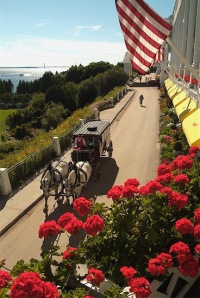
Last Spring I attended a conference at the Grand Hotel in Mackinac Island, Michigan.  The Grand Hotel, Mackinac Island, MichiganWhile staying at this historic gem, my goal was to create a short web video on the hotel and the island.  I shot the property in a dozen different ways getting b-roll footage of carriages, guests on the porch, tea in the parlor, the orchestra and other areas of the hotel as well as scenes in town. I also interviewed third generation owner and President, Dan Musser III and carriage driver Tom McCarthy.  Those interviews as well as some soundbites from a talk given by concierge Bob Tagatz – gave me my narrative track.

When I returned I gathered all my assets – interviews, b-roll and music and started to layout the story. Generally, I lay down my best soundbites first.  This drives the story.  I’ll then go through all my b-roll and live action shots and select the best clips that best illustrate the narrative track.  I was fortunate on this piece because I was able to capture footage of the harpist at the Grand Hotel and this not only provided me with some nice visuals, but it gave me a music track to work with that made sense in the context of the story.

After piecing together the story in Final Cut Pro, I then went  back and “cut” it.  Given time, I may even live with it a bit, going back and cutting more each time giving it more punch.  I’ve uploaded my first two cuts on vimeo.  Here’s a link to my latest rough cut. http://www.vimeo.com/5889700 I’ll probably live with it a bit and then go back and cut out another 20%.  It’s always hard to cut but it makes the piece stronger and these days – people don’t take the time to look at long web videos.